← All notes · 2 min read
My father's family tree outlived its software
Twenty-two years of notes. The program broke. The data didn't.
My father is 77. Since 2004 he has been keeping our family tree in an old Windows program. Births, marriages, who moved where, which photo belongs to whom. More than 500 people. Recently the program stopped working.
He didn't lose anything. The program had been saving everything in GEDCOM, a plain text format genealogists have used since the eighties. Every person, every note, every photo link was still there. The program was gone, but the file wasn't.
So I made him a new one with an AI. It took a couple of days.
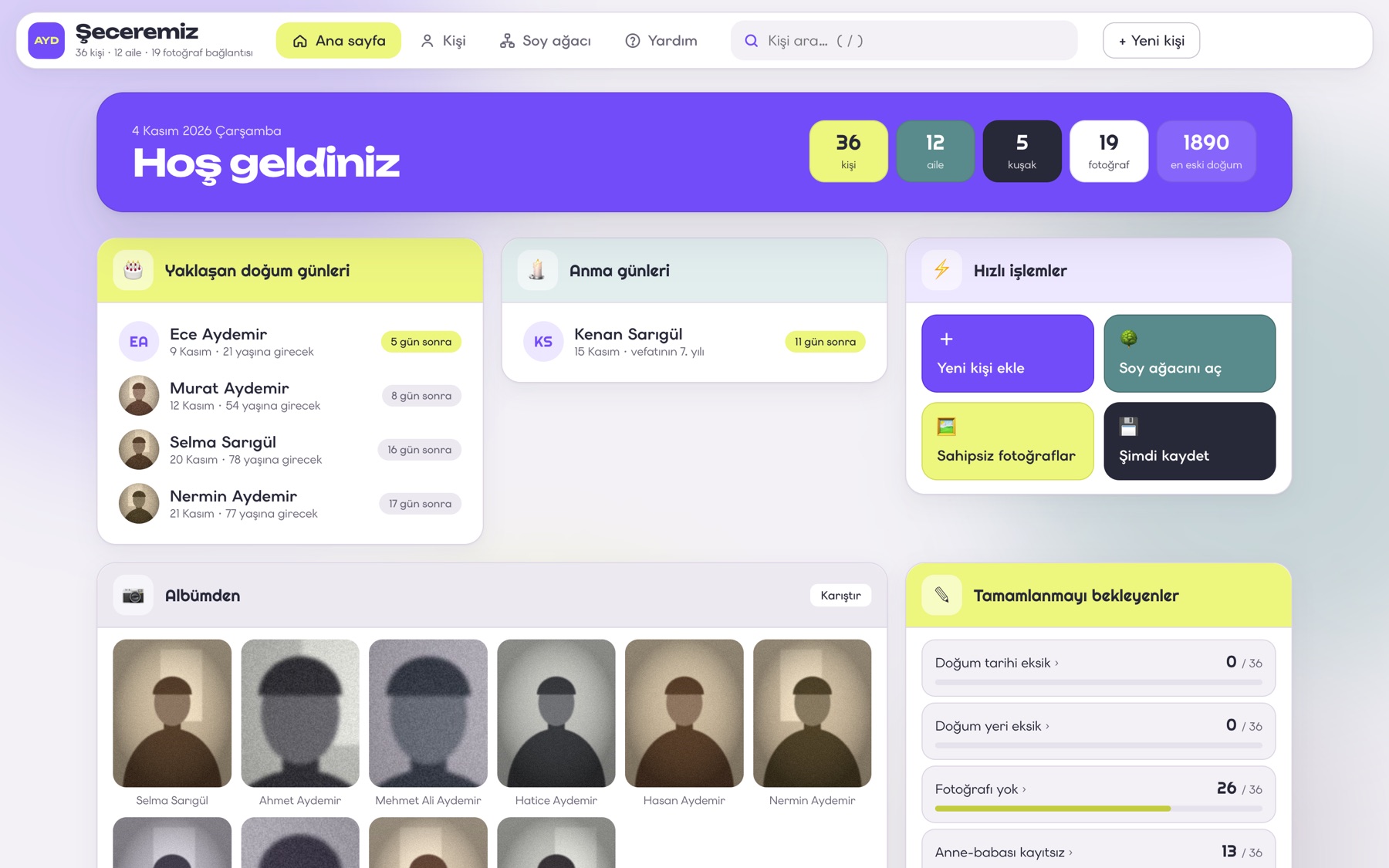
It's one HTML file in a folder. He double-clicks it and it opens in his browser. There's nothing to install, no account, and it doesn't need the internet. The family data stays on his computer, in the same format as before. If this app breaks one day too, the next one can open the file.
Some things I didn't expect.
Saving was the hardest part to design. The first version showed messages like "file downloaded." I told the AI not to make him deal with that. Now it saves itself a second after every change and keeps a backup every half hour. He doesn't need to know there's a file at all.
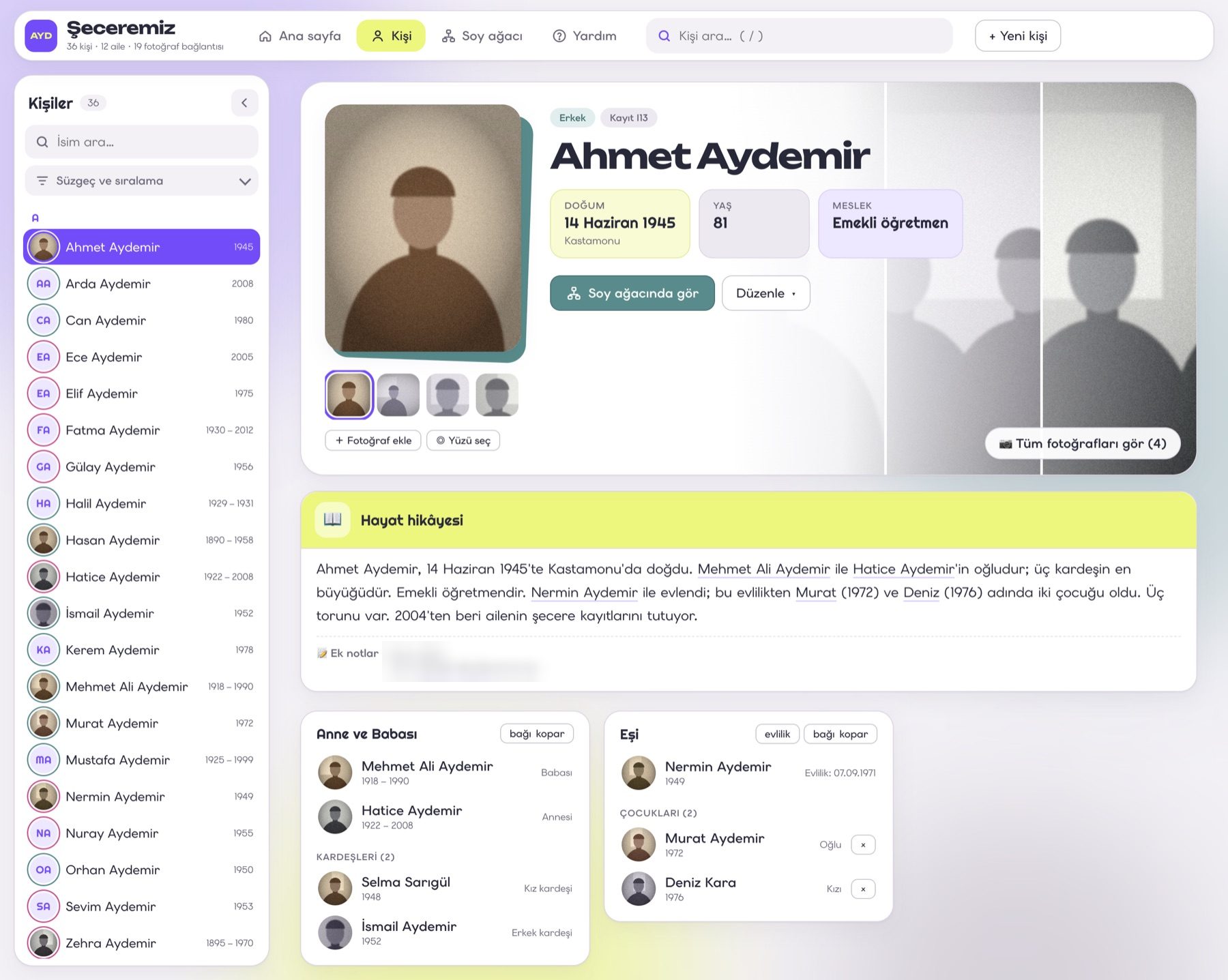
The best feature was a sentence, not a screen. The old program showed fields. I asked if the data could be written as a story instead. Now every person's page starts with a short paragraph: where they were born, whose child they are, who they married, how many grandchildren they have. It's in Turkish, with the grammar right, and every name in it is a link. My father's 22 years of side notes became sentences in those stories.
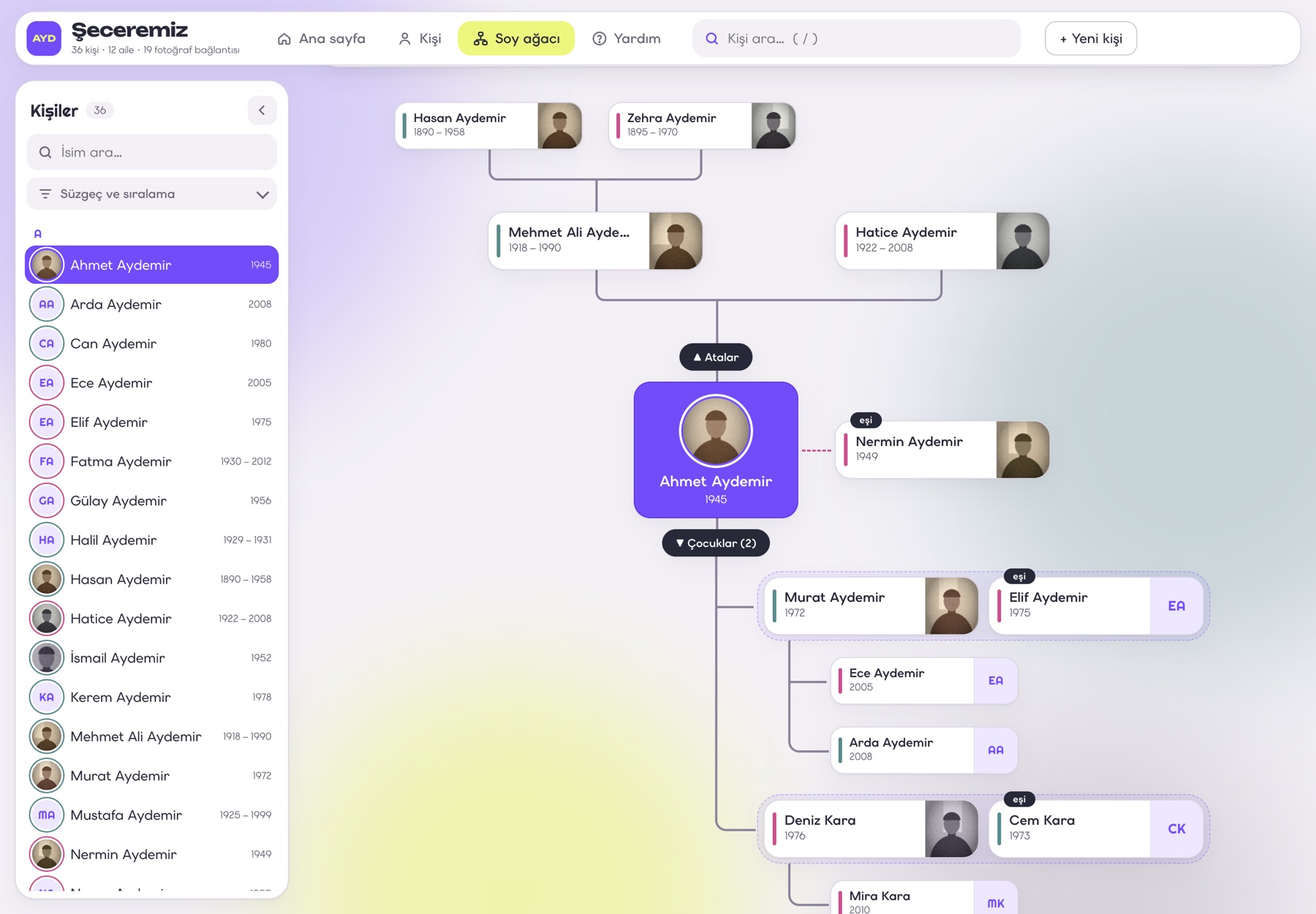
Showing everyone helps no one. My first family tree showed every descendant at once. It looked impressive and nobody could follow a single line in it. Now it opens two generations up and two down, and you expand a branch when you want to see more. If you can't follow the line, the tree is pointless.
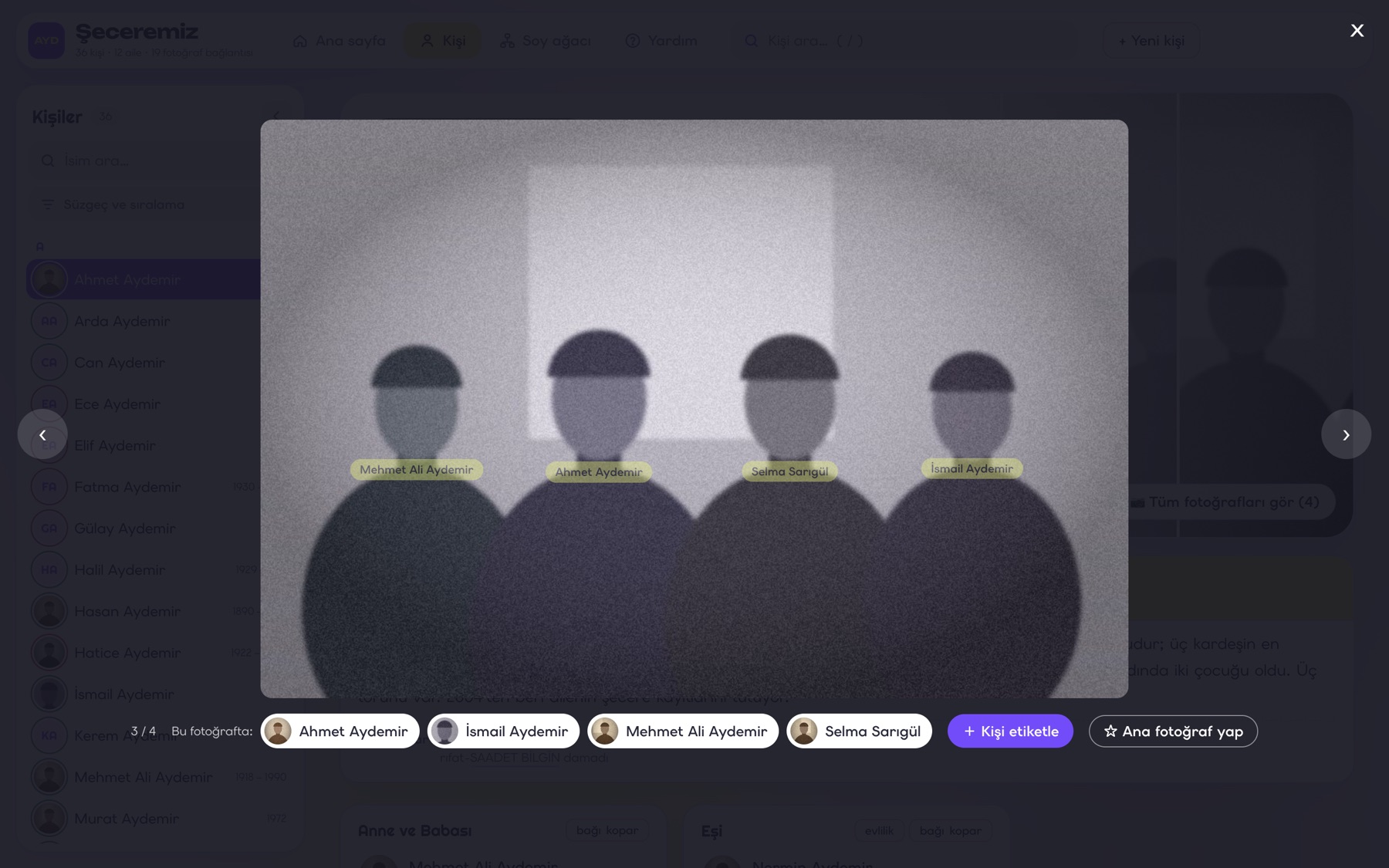
Old photos needed faces. Many of his photos are group shots. Now you can draw a box around a face and tag who it is. The photo then shows up on that person's page too, cropped to their face.
The AI doesn't get to decide facts. In a few places his notes contradicted the records. One death year was written as 1945 in one place and 1965 in another. The AI didn't pick one. It made a list of questions to ask the older relatives.
Last, I asked for a help page. It's not written to him. It's written for whoever sits next to him and shows him how it works. It ends with a 15-minute order for the first demo: find yourself, read your story, open the tree, fix one small thing, watch it say "Saved."
Now he gets to use it. I'll write about how that goes.
The screenshots use a made-up family. The real one stays on his computer.
— Kemal